Rapid Reader - with Spritz1.11
Publisher Description
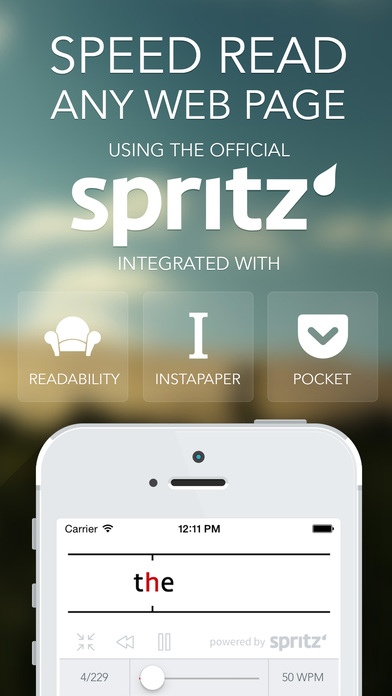
The premier app for speed-reading any website, presented beautifully.
Rapidly speed-read any page using the official Spritz reading technology. Connect your Pocket, Readability, or Instapaper account to import and Spritz any of your bookmarks from these services.
Using Spritz, Rapid will quickly flash one word at a time at any of 40 different speeds. This eliminates the need for your eyes to scan the text in order to read efficiently. Spritz provides a reticle at the ideal position in a word to allow your mind to comprehend each word despite seeing it for only a fraction of a second. Read up to 1000 words per minute while maintaining or improving your current comprehension. The average person reads normally at about 250 words per minute, but with Rapid, you will very soon double or triple that speed.
Features
View current word position
View Spritz time remaining
Select from 40 different speeds
Beautiful newspaper grid layout of all bookmarks
Instantly seek to any word in the text
Quickly jump back a sentence to pick up any words you may have missed
Paste any URL copied from any other app as a bookmark
Import from and sync with Pocket, Readability, and Instapaper
Fullscreen Spritz mode
Fullscreen Article mode
Fullscreen Web mode
View and Spritz articles in Article or Web mode
Archive read articles
Share any article over Facebook/Email/Airdrop/Messages
Get support and help (or request new features) any time using our help section accessed from the main menu
Using Rapid, instantly improve your speed and comprehension reading the articles you read each day.
Note: For your articles to sync from Instapaper, you must have an Instapaper "Subscriber" account
Requires iOS 7.1 or later. Compatible with iPhone, iPad, and iPod touch.
About Rapid Reader - with Spritz
The company that develops Rapid Reader - with Spritz is Wasdesign, LLC. The latest version released by its developer is 1.11.
To install Rapid Reader - with Spritz on your iOS device, just click the green Continue To App button above to start the installation process. The app is listed on our website since 2014-06-22 and was downloaded 40 times. We have already checked if the download link is safe, however for your own protection we recommend that you scan the downloaded app with your antivirus. Your antivirus may detect the Rapid Reader - with Spritz as malware if the download link is broken.
How to install Rapid Reader - with Spritz on your iOS device:
- Click on the Continue To App button on our website. This will redirect you to the App Store.
- Once the Rapid Reader - with Spritz is shown in the iTunes listing of your iOS device, you can start its download and installation. Tap on the GET button to the right of the app to start downloading it.
- If you are not logged-in the iOS appstore app, you'll be prompted for your your Apple ID and/or password.
- After Rapid Reader - with Spritz is downloaded, you'll see an INSTALL button to the right. Tap on it to start the actual installation of the iOS app.
- Once installation is finished you can tap on the OPEN button to start it. Its icon will also be added to your device home screen.
